
Making a field behave
Most of what a screen does for the person filling it in is decided one field at a time. A field can be required, locked, filled in for you, calculated from its neighbours, checked as it is typed, or made to appear only once another answer makes it relevant. All of it is configured in the field's own dialog, and none of it is code.
- 1
Decide which surfaces it appears on
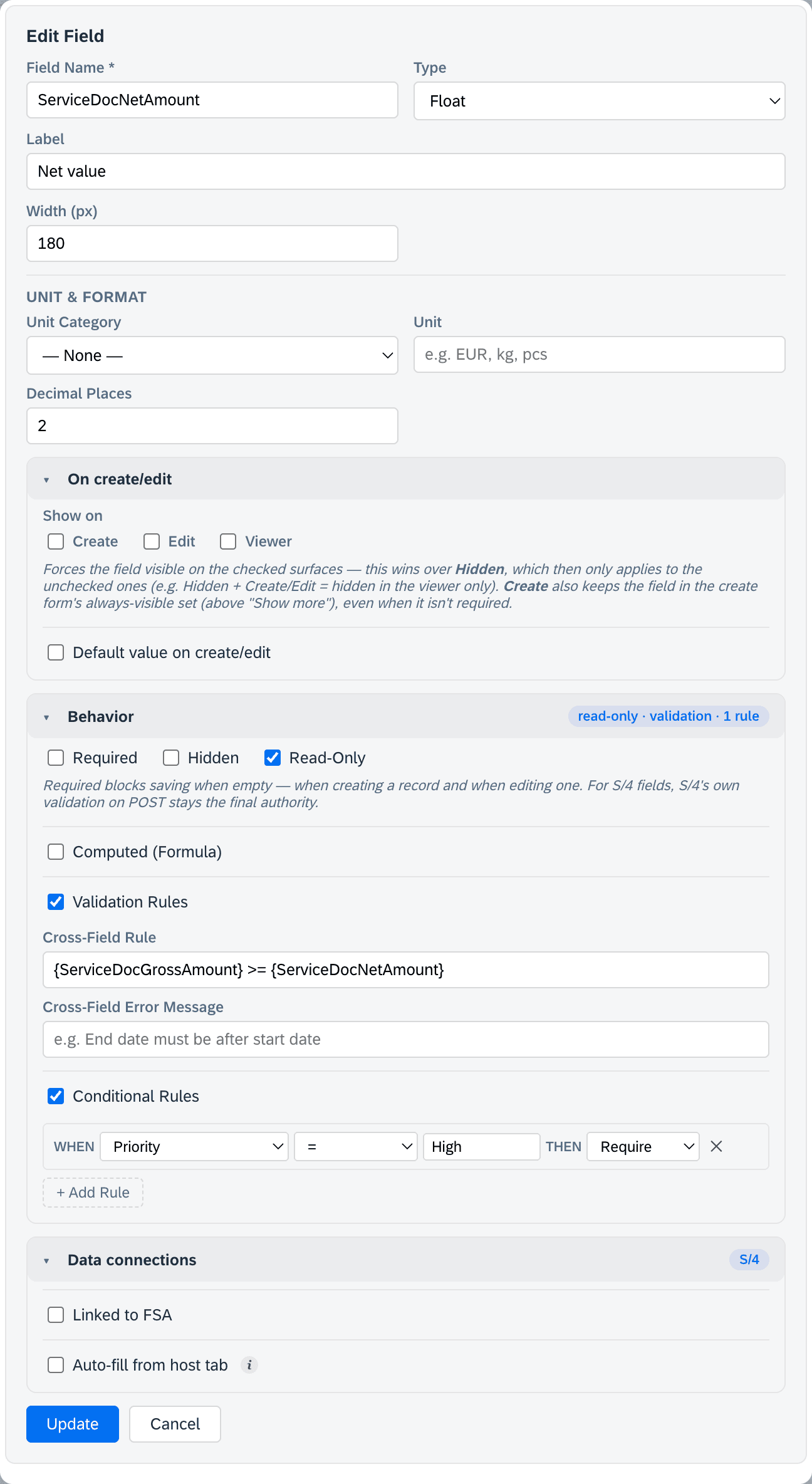
A field can be shown on the create form, the edit form and the viewer independently. Ticking a surface forces the field visible there, which is how you get a field that people fill in once and never have to look at again — or one that only reviewers see. Marking it for create also keeps it in the create form's always-visible set, rather than tucked behind “Show more”.
- 2
Required, read-only, hidden
Required blocks saving while the field is empty, both when a record is created and when it is edited. Read-only shows the value without letting anybody change it. Hidden takes it out of the form on the surfaces you did not force it onto.
- 3
Give it a starting value
A default fills the field on create or edit, so the common answer is already there and only the exceptions cost anybody a keystroke.
- 4
Let it calculate itself
A computed field takes a formula that references its sibling fields by name and does arithmetic across them — a total, a difference, a rate. The person using the screen sees a result that cannot drift out of step with what it was derived from.
- 5
Check the value as it is typed
Validation covers the ordinary shapes: a minimum and maximum value, a minimum and maximum length, a pattern with your own error message rather than a regular expression shown to a technician, and a rule that compares this field against another one — also with its own message.
- 6
Make it react to another field
Conditional rules are assembled as sentences: when a chosen field equals, does not equal, contains, exceeds, falls below, is empty or is not empty a value you give, then show, hide, require or lock this one. A field can carry several, which is how a form of thirty fields presents as a form of eight.
Worth knowing
Back to the designer.