
Six tools. All optional, all bounded.
AI here is not a chatbot bolted to the corner of a screen. Each tool does one job a person was otherwise doing by hand, each is off until you turn it on, and the one people reach for most answers from a curated knowledge base before it ever calls a model.
Two for everyone, four for the people building screens
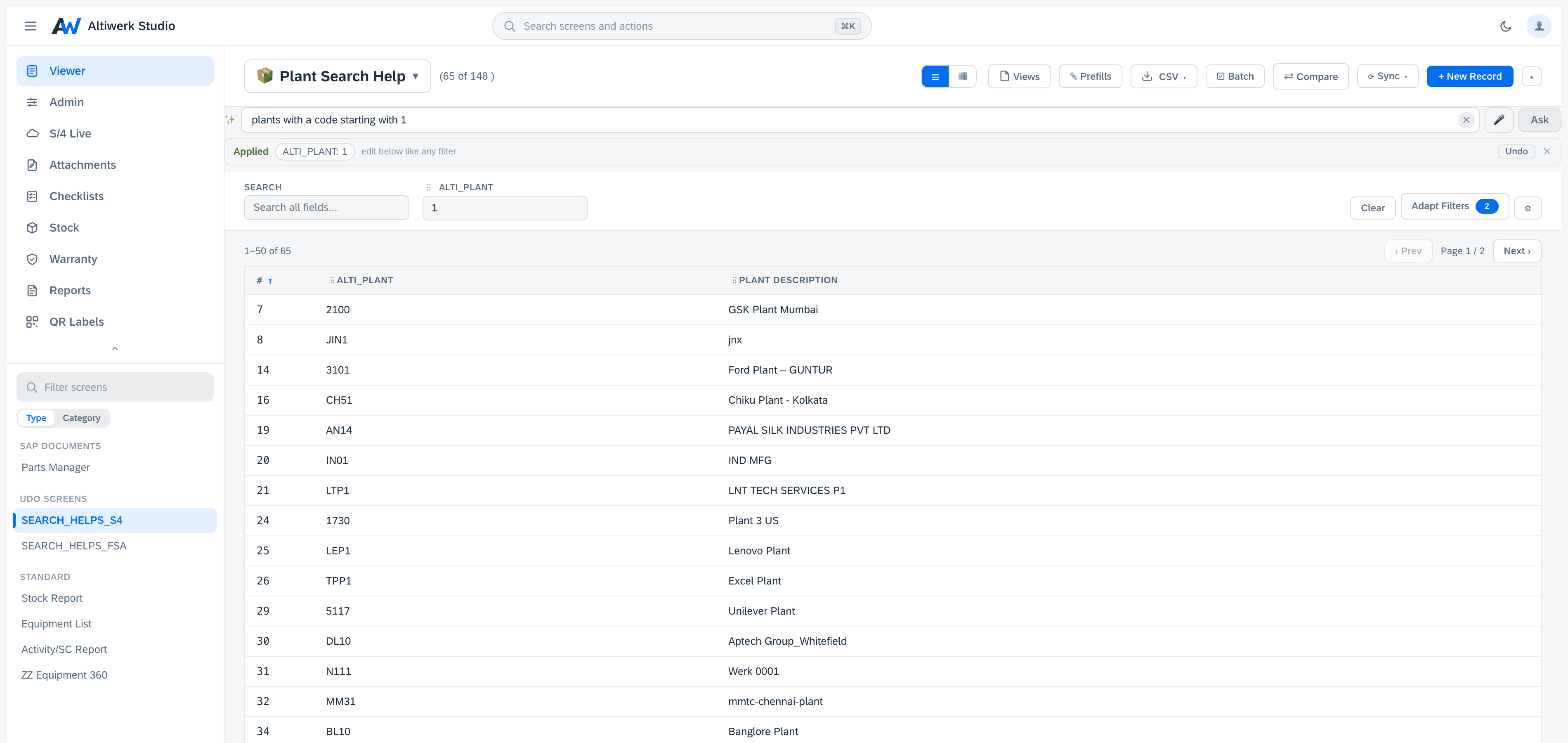
Ask this screen
EveryoneType what you want in your own words — “open orders in Hamburg from last month, newest first” — and the screen filters and sorts itself. What it did is shown as chips you can undo, English or German, and relative dates resolve against today.
Explain this error
EveryoneSAP errors are famously opaque. This answers from a curated knowledge base first — a verified answer, no model call — and only falls back to AI when the base has nothing. Most answers therefore work with no AI enabled at all.
What is this field?
EveryoneAn explanation of any field, built from its metadata. No record data is sent.
Screen-building copilot
AdminsProposes a mapping from your system's own metadata, so the first draft of a screen is not a blank page.
Generate a template
AdminsDrafts a new S/4 mapping template from a description of what you need.
Screen doctor
AdminsSuggests repairs on top of the deterministic checks, which always remain available.
Most error explanations need no AI at all
SAP errors are famously opaque, and the honest way to explain one is usually not to ask a model — it is to have seen it before. Every error we diagnose becomes a curated entry, and the explainer checks that library first.
When it finds a match, the answer comes back marked as verified: no model call, no cost, no latency, and no chance of a confidently invented explanation. The model is the fallback, not the first move.
Which means this tool works on a tenant with AI switched off entirely — worth knowing if your security review lands before your AI policy does.
A plain-language explanation of what the system is objecting to and what to do about it — from an entry a person wrote and checked.
No badge means the model answered instead, and the page says so. You always know which one you are reading.
Three switches, and each can only narrow
The layer below can never widen what the layer above allowed. A screen cannot enable a tool the tenant switched off, and a tenant cannot enable one the engine does not offer.
Decides whether AI exists at all, which models may be used, and the daily ceiling. It runs in your own BTP subaccount, so this switch is yours in the most literal sense.
Turns individual tools on or off for everyone, and can pin a specific model per tool.
Switches off the tools that particular screen's users should not have — a screen full of contract values need not offer a natural-language bar.
- ·The engine decides whether AI is available at all, and which models may be used.
- ·The tenant turns individual tools on or off for everyone, and can pin a model per tool.
- ·Each screen can switch off the tools its users should not have.
- ·Nothing a screen enables can widen what the tenant or the engine allowed.
- ·Usage is counted per tool — calls, tokens and estimated cost — so spend is visible rather than discovered.
Names and labels — not the values in them
| What is sent | What is not |
|---|---|
| Field and entity names, and their labels, when a field or a mapping is being explained or suggested | The values in those fields |
| The text of an SAP error, after identifiers are stripped from it | The record the error was about |
| The sentence you type into the natural-language bar, when that tool is switched on | The rows it filters, before or after |
The natural-language bar is the one tool that sends something you typed, which is why it has its own switch and can be disabled tenant-wide from the engine even when everything else stays on. We do not store prompts or answers — the full list of what reaches us carries counters only.
Visible, not discovered
Every model call is counted per tool: how many, how many tokens, which model, and an estimated cost. It is in the settings dialog, not in a monthly surprise.
There is a daily ceiling set on the engine, and answers served from the knowledge base or the response cache are free and are not counted against it — because they did not call anything.
The model allowlist lives on the engine too, so a tenant cannot escalate itself onto a more expensive model than the operator permitted. A value that is no longer allowed shows as such rather than silently costing more.
If you want none of this
Do nothing. AI is off by default and needs both a switch and a key before a single call is made. Every product and every screen type on this site works exactly the same with it disabled — the AI tools are additions to the deterministic behaviour, never a replacement for it.
The screen checker is the clearest example: the deterministic checks always run and always find what they find. The model only proposes a repair on top.
Bring your AI policy to the call.
We will go through what each tool sends, what it never sends, and which switches your team holds. If the answer is 'not yet', everything still works.