
S/4 Live
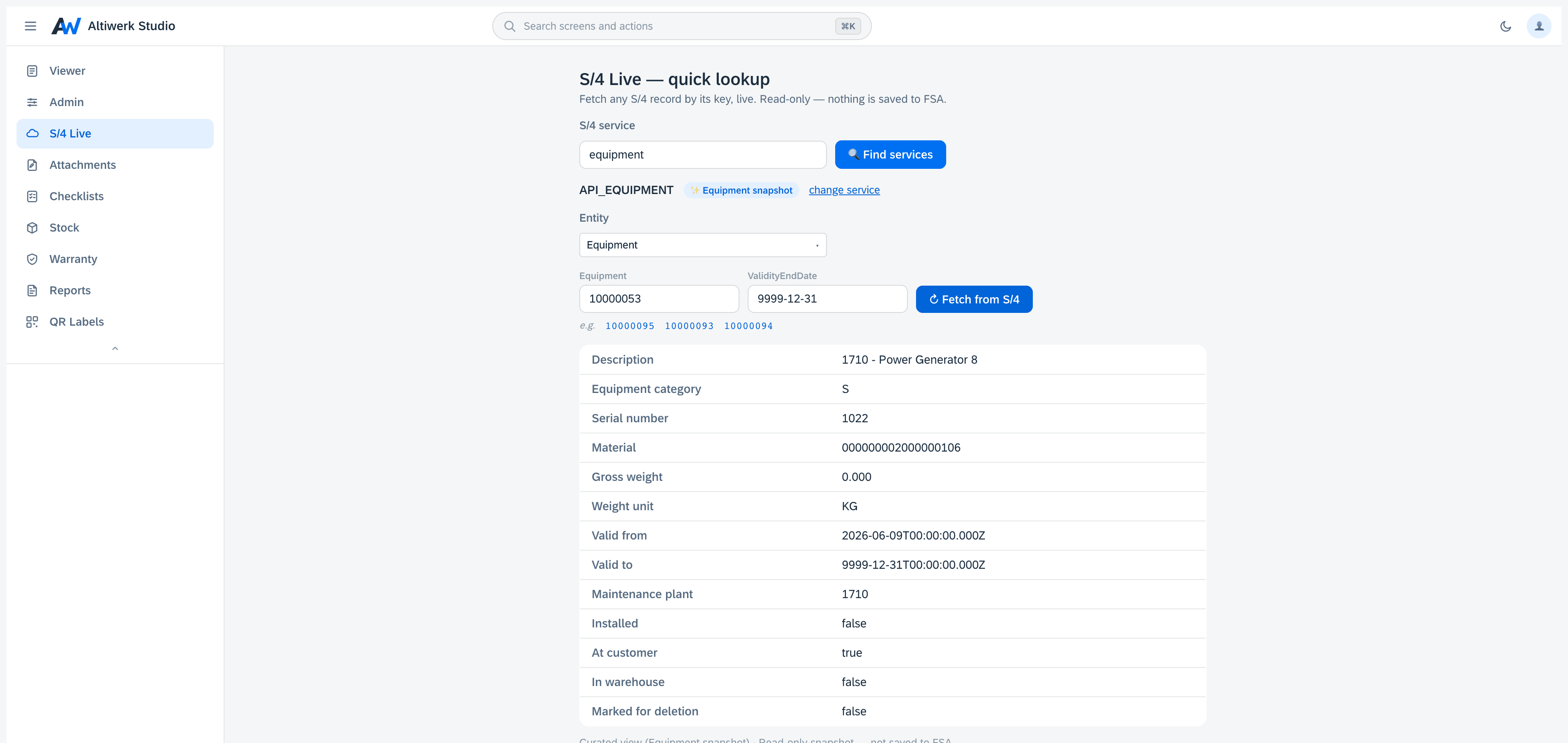
Point it at your S/4 system and browse what is actually there. Entity sets, fields and keys come from the service's own $metadata, so the lists are never a stale copy of someone's spreadsheet — and every read is live. Nothing is replicated into FSA.
Browse any live S/4 entity from inside FSA — no screen to build first.
- Entity-set discovery: point it at your system and it lists what is exposed.
- Field lists driven by the service's own $metadata, so they are never stale.
- Key lookup with one-click example values, including dates in the exact form S/4 accepts.
- Filters and paging over live data — nothing is copied into FSA.
- Sells standalone, where the app shows only S/4 Live, or as a tab on any licence.
How it installs
One permanent link, pasted into Foundational Services → Extensions. Nothing is minted per customer — your licence is the whole gate.
https://studio.altiwerk.com/ext/s4live/appconfig.jsonOn mobile it runs in the FSA Web Container, and can be pinned so the technician sees only this one. How mobile works
Updates reach every tenant on the next load — there is no upgrade step to schedule.
What you need
- ·An FSA tenant where you have admin access to Extensions.
- ·One install link, pasted once. No deployment on your side.
- ·The connectivity engine, deployed on your own SAP BTP subaccount.
- ·An S/4 system exposing the relevant OData services — V2 or V4 — reachable from that engine via SAP Cloud Connector or a Communication Arrangement.
Questions people actually ask
No. That is the point of it. S/4 Live is the browse surface — pick an entity set, pick your fields, read. Building a designed screen around the same data is what the studio is for, and the two share the same engine underneath.
Any OData service your system exposes and your engine can reach, V2 or V4. It discovers them rather than shipping a fixed list, so a service you activate next month needs no update from us.
Not from here — this is a read surface. Writing back is a separate, deliberate flow, and the engine will only write to entities you have explicitly allowed.
Because S/4 is particular about how a key is written, especially when a date is part of it. Click an example and the field fills with exactly the form that system accepts, then fetches the record.
Often licensed alongside
Try S/4 Live in your own tenant.
A 14-day licence bound to your tenant. No credit card, nothing auto-renews.