
QR Labels
Print a sheet of QR labels for your equipment that scan back into FSA. Avery geometry or your own, a payload you design, and vector PDF output so a small label still reads after printing.
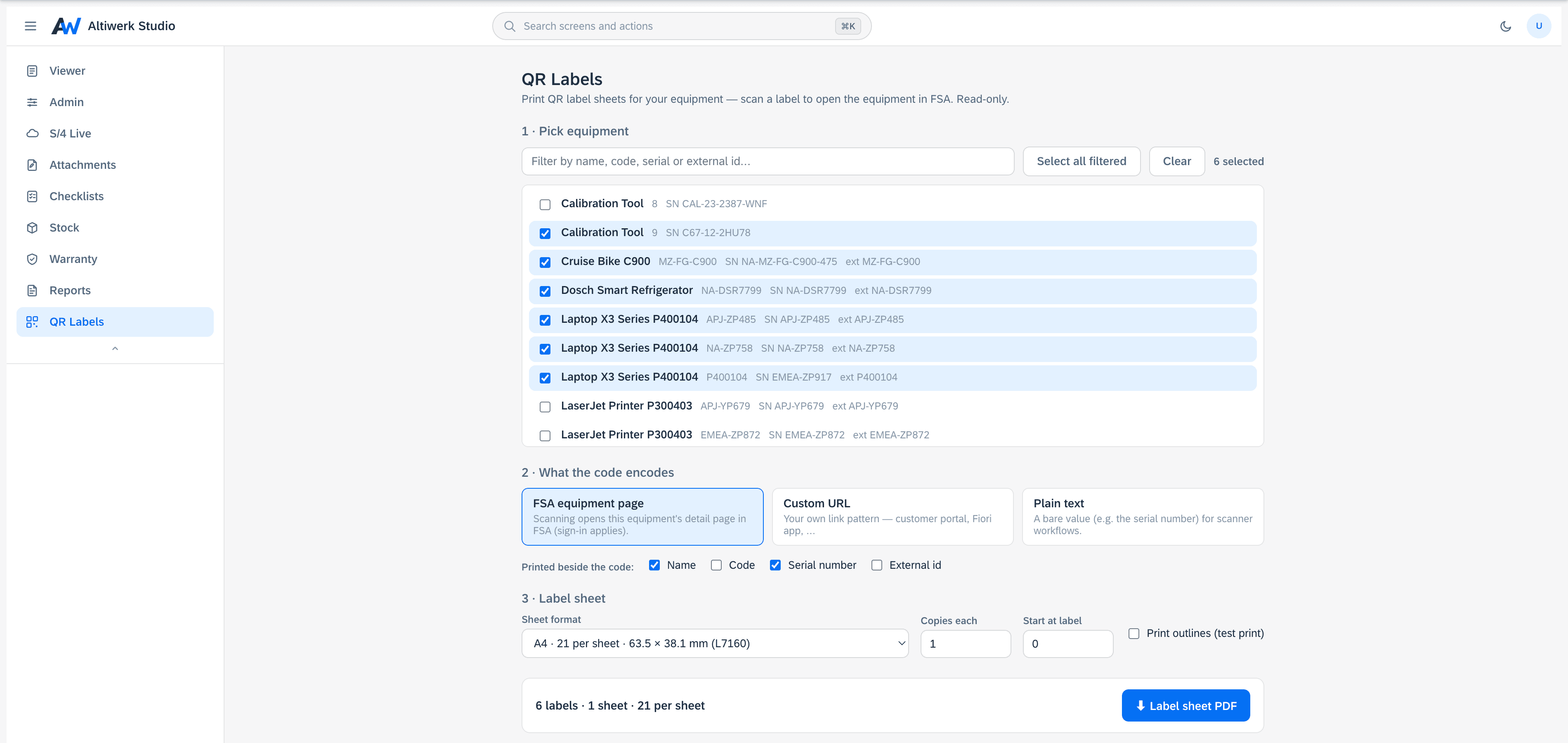
Printable QR label sheets for equipment, deep-linking straight back into FSA.
- Avery L7160, L7163, L7165 and 70×37 sheet geometry, or a custom size.
- Payload designer: an FSA deep link, your own URL, or text with field placeholders.
- Copies, start offset and cut outlines — so a part-used sheet is not wasted.
- Vector PDF, so a small label still scans after printing.
How it installs
One permanent link, pasted into Foundational Services → Extensions. Nothing is minted per customer — your licence is the whole gate.
https://studio.altiwerk.com/ext/qrlabels/appconfig.jsonUpdates reach every tenant on the next load — there is no upgrade step to schedule.
What you need
- ·An FSA tenant where you have admin access to Extensions.
- ·One install link, pasted once. No deployment on your side.
- ·No engine — it reads FSA equipment and produces a PDF.
- ·A label printer or an office printer and a sheet of labels.
Questions people actually ask
Avery L7160, L7163, L7165 and 70×37 out of the box, or you give it your own sheet geometry.
You decide: an FSA deep link straight to the record, your own URL, or text with field placeholders filled per label.
Set a start offset and it begins where the sheet does. Copies and cut outlines are there too.
The PDF is vector, not a rasterised image, so the code stays crisp at whatever size you print it.
Often licensed alongside
Try QR Labels in your own tenant.
A 14-day licence bound to your tenant. No credit card, nothing auto-renews.