
Checklist Manager
FSA gives you smartform templates but very little help managing them. This is the manager: every version grouped by name, who is actually using which, what changed between two versions, and a proper place to translate them.
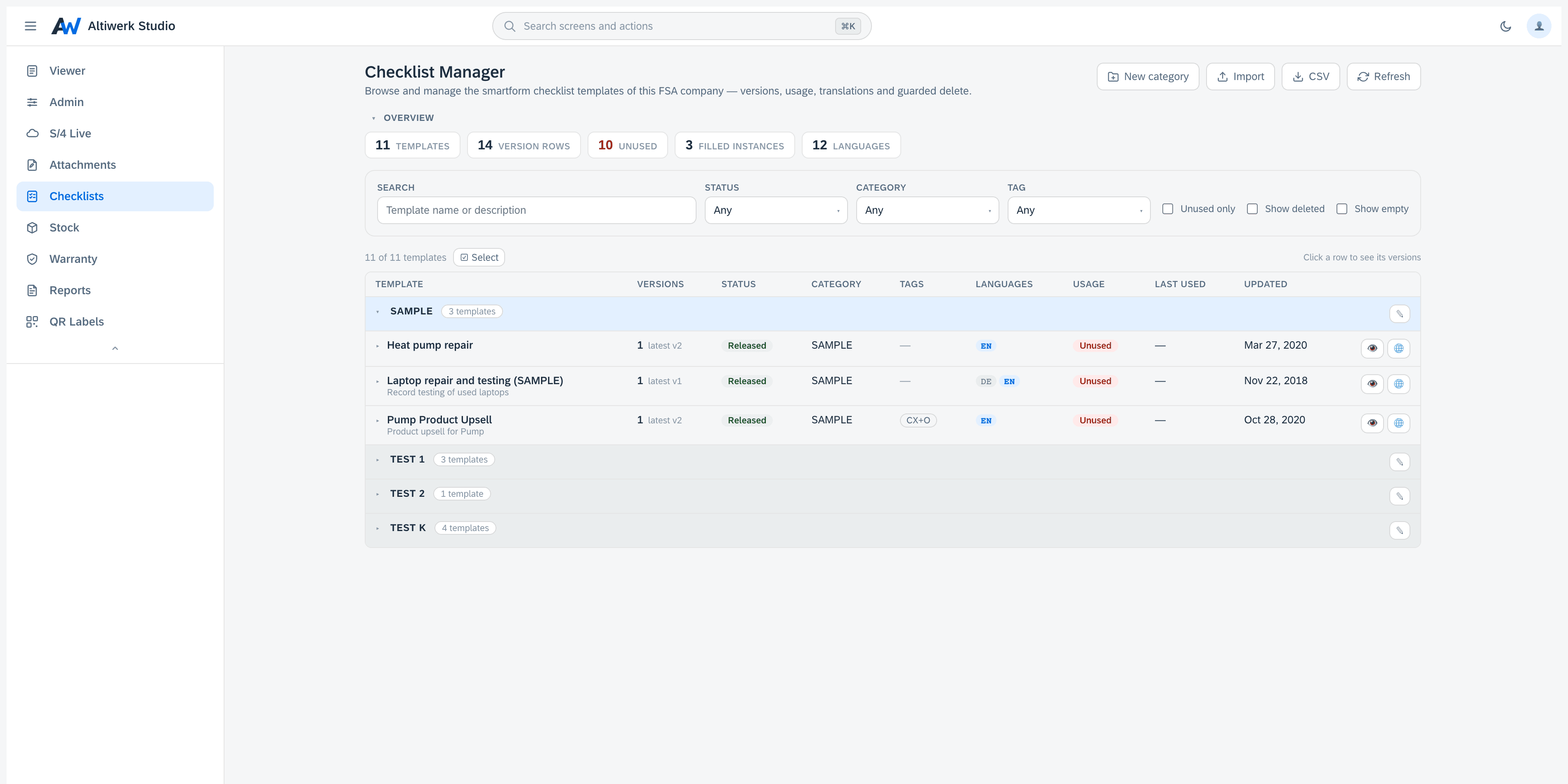
The smartform template manager FSA does not ship: versions, usage, diff and translation.
- Grouped by name with expandable version rows, plus status, category and tag filters.
- Usage intelligence — which templates are actually in use, and which are dead weight.
- Element-level diff between two versions.
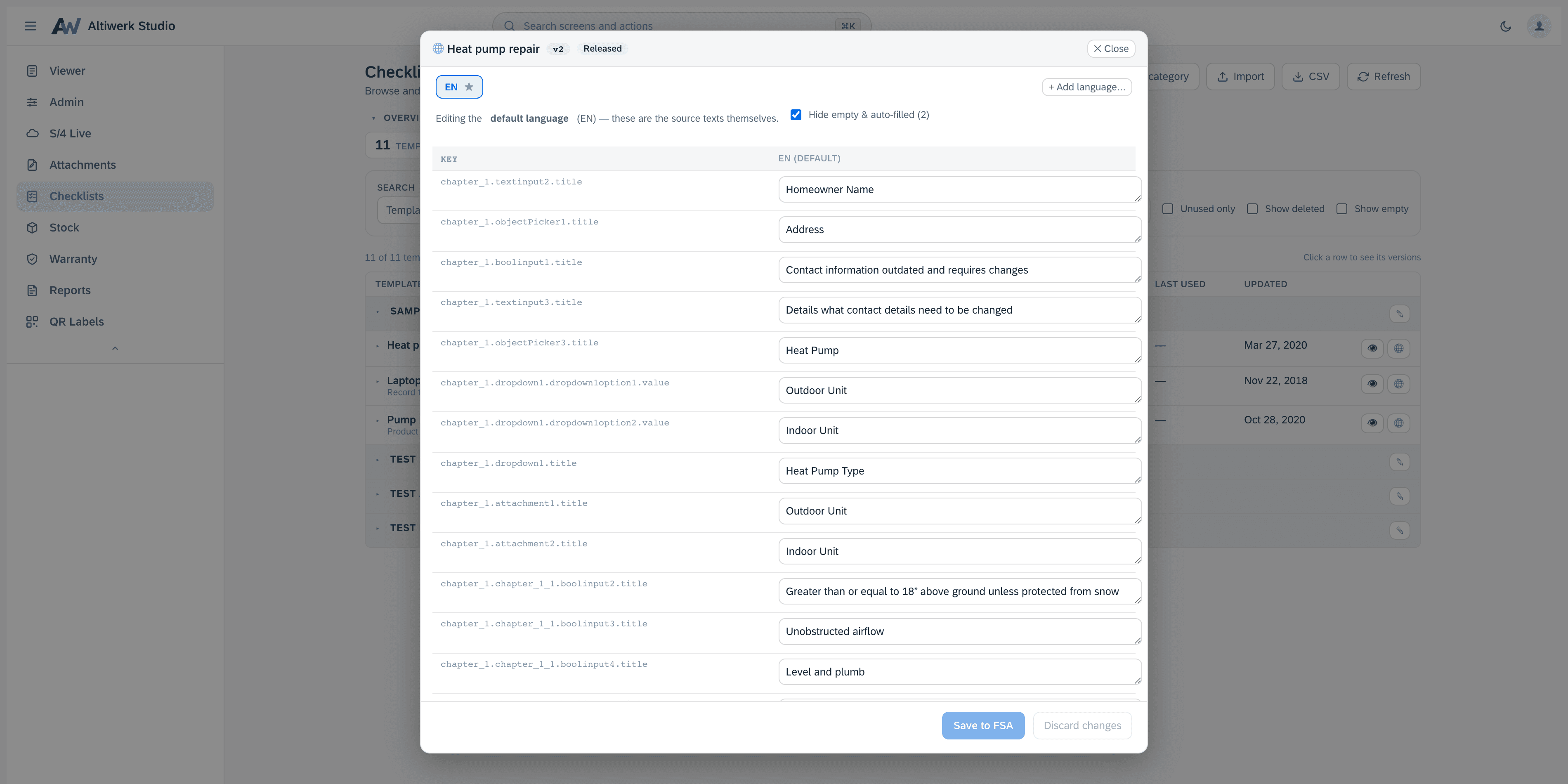
- A side-by-side translation workbench with a completeness meter, writing back into the archive.
- Delete guarded by usage, archive export, clone-as-draft, import-as-draft.
- Mass select with bulk move, status change and delete across FSA's full 54-language catalogue.
How it installs
One permanent link, pasted into Foundational Services → Extensions. Nothing is minted per customer — your licence is the whole gate.
https://studio.altiwerk.com/ext/checklists/appconfig.jsonUpdates reach every tenant on the next load — there is no upgrade step to schedule.
What you need
- ·An FSA tenant where you have admin access to Extensions.
- ·One install link, pasted once. No deployment on your side.
- ·No engine — it reads and writes the FSA smartform archive only.
Questions people actually ask
Usage intelligence marks the ones nothing references with an Unused badge, so a cleanup is a decision rather than a guess.
Element by element, side by side — not a diff of raw files.
A side-by-side workbench with a completeness meter, writing back into the smartform archive itself. FSA's full 54-language catalogue is available.
No. Delete is guarded by usage, and it tells you what is still open against it.
Often licensed alongside
Try Checklist Manager in your own tenant.
A 14-day licence bound to your tenant. No credit card, nothing auto-renews.